
为了提高工作效率,现在很多公司多多少少都会使用到一些在线的协作工具辅助办公,不管是在线的文档协作或者在线的项目管理,这些工具都切实的提高了团队的工作效率。
WookTeam是一款轻量级的在线团队协作工具,提供各类文档协作工具、在线思维导图、在线流程图、项目管理、任务分发、即时IM,知识库管理等工具。
技术选型
-
后端框架:Laravel7 + LaravelS -
前端框架:Vue 2.0 + Iview UI -
数据库:Mysql -
通讯框架:Swoole -
主题样式:Kooteam
安装
1、克隆项目到您的本地或服务器
# 使用ssh
git clone git@gitee.com:aipaw/wookteam.git
# 或者你也可以使用https
git clone https://gitee.com/aipaw/wookteam.git

# 进入目录
cd wookteam

# 拷贝 .env
cp .env.example .env
2、修改.env
数据库等信息
DB_CONNECTION=mysql
DB_HOST=127.0.0.1
DB_PORT=3306
DB_DATABASE=wookteam
DB_USERNAME=root
DB_PASSWORD=123456
......
LARAVELS_LISTEN_IP=127.0.0.1
LARAVELS_LISTEN_PORT=5200
3、设置项目
git checkout master # 如果使用dev分支进行本地开发
git pull origin master # 如果使用dev分支进行本地开发

composer install
php artisan key:generate
php artisan migrate --seed
4、运行 Laravels (WebSocket)
请确认您的环境以及安装Swoole。
php bin/laravels start
建议通过Supervisord监管主进程,前提是不能加-d选项并且设置swoole.daemonize为false。
[program:wookteam-test]
directory=/wwwroot/wookteam.com
command=/usr/local/bin/php bin/laravels start -i
numprocs=1
autostart=true
autorestart=true
startretries=3
user=www
redirect_stderr=true
stdout_logfile=/var/log/supervisor/%(program_name)s.log
5、部署到Nginx
map $http_upgrade $connection_upgrade {
    default upgrade;
    ''      close;
}
upstream swoole {
    # Connect IP:Port
    server 127.0.0.1:5200 weight=5 max_fails=3 fail_timeout=30s;
    keepalive 16;
}
server {
    listen 80;

    # Don't forget to bind the host
    server_name wookteam.com;
    root /wwwroot/wookteam.com/public;

    autoindex off;
    index index.html index.htm index.php;

    charset utf-8;

    location / {
        try_files $uri @laravels;
    }

    location =/ws {
        proxy_http_version 1.1;
        proxy_set_header X-Real-IP $remote_addr;
        proxy_set_header X-Real-PORT $remote_port;
        proxy_set_header X-Forwarded-For $proxy_add_x_forwarded_for;
        proxy_set_header Host $http_host;
        proxy_set_header Scheme $scheme;
        proxy_set_header Server-Protocol $server_protocol;
        proxy_set_header Server-Name $server_name;
        proxy_set_header Server-Addr $server_addr;
        proxy_set_header Server-Port $server_port;
        proxy_set_header Upgrade $http_upgrade;
        proxy_set_header Connection $connection_upgrade;
        # "swoole" is the upstream
        proxy_pass http://swoole;
    }

    location @laravels {
        proxy_http_version 1.1;
        proxy_set_header Connection "";
        proxy_set_header X-Real-IP $remote_addr;
        proxy_set_header X-Real-PORT $remote_port;
        proxy_set_header X-Forwarded-For $proxy_add_x_forwarded_for;
        proxy_set_header Host $http_host;
        proxy_set_header Scheme $scheme;
        proxy_set_header Server-Protocol $server_protocol;
        proxy_set_header Server-Name $server_name;
        proxy_set_header Server-Addr $server_addr;
        proxy_set_header Server-Port $server_port;
        # "swoole" is the upstream
        proxy_pass http://swoole;
    }
}
默认账号
admin/123456 system/123456
功能简介
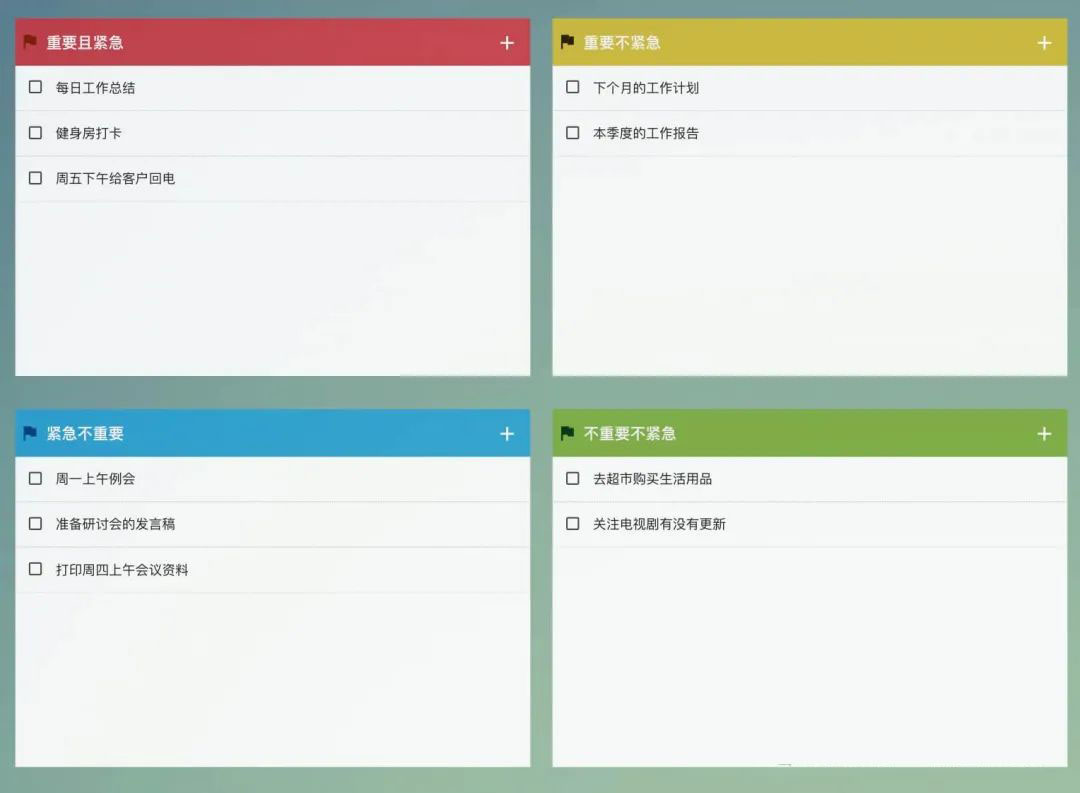
1. 待办四象限: 突出事情优先级,帮助员工合理安排时间,提高工作效率
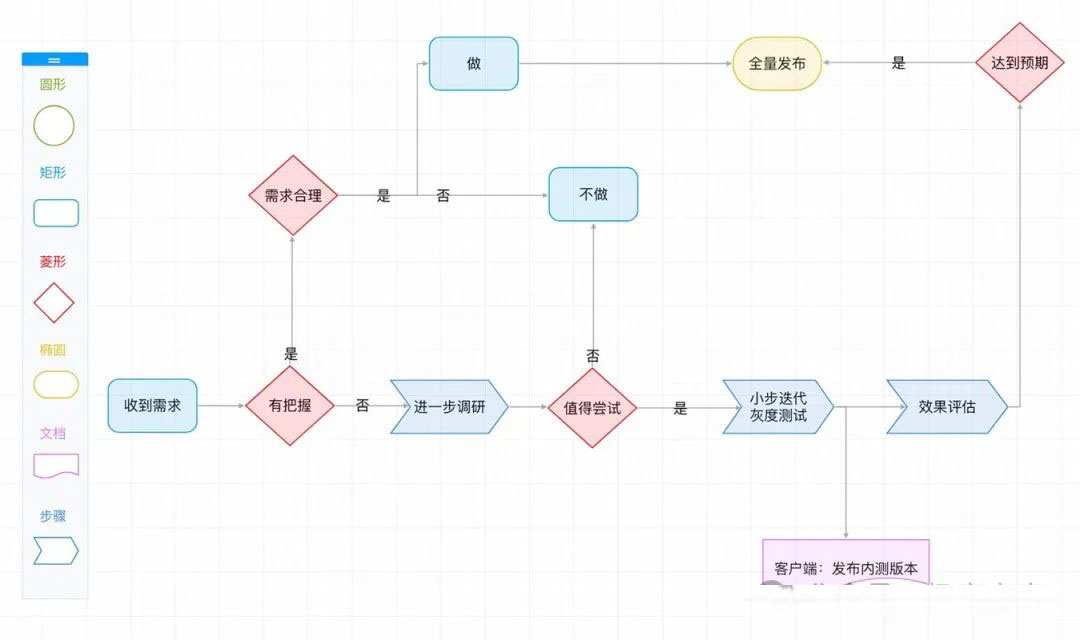
2. 在线流程图: 在线流程图工具,使用方便
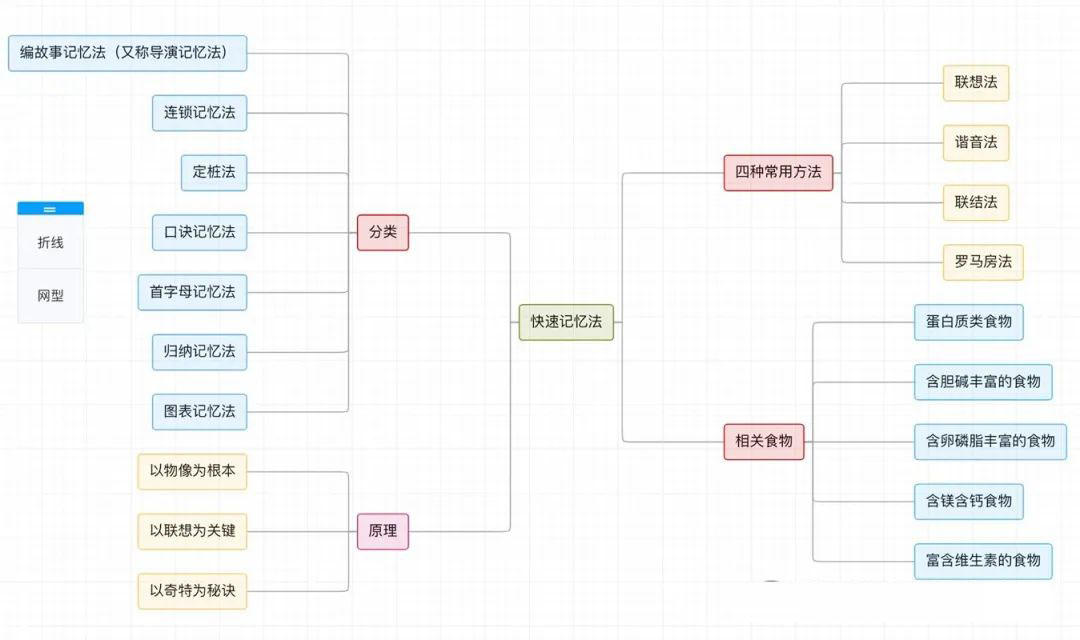
3. 在线思维导图: 梳理思路,优化工作流程
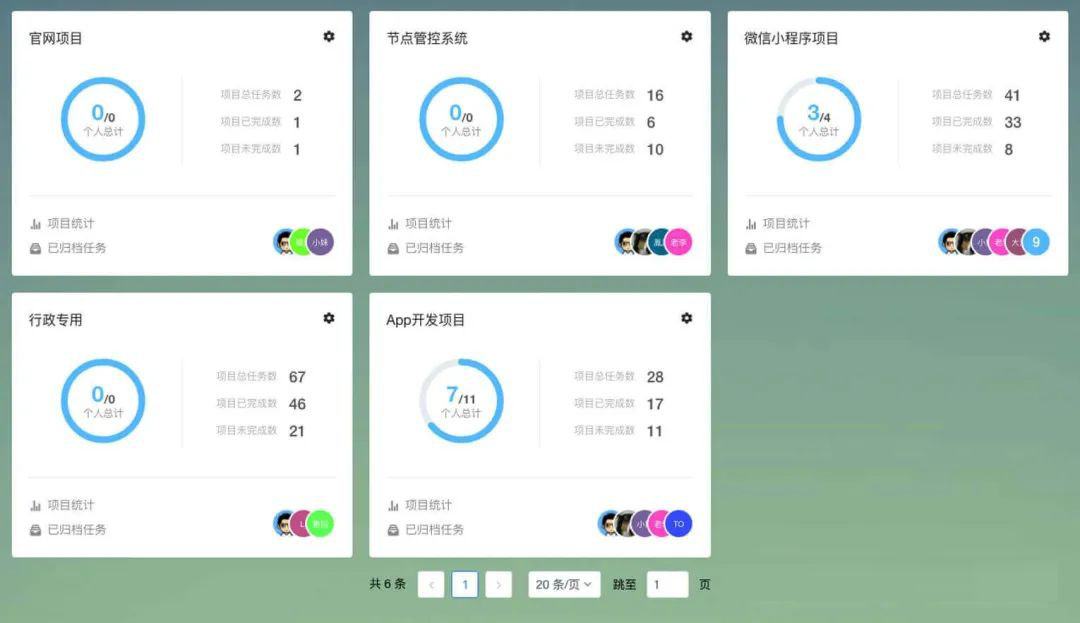
4. 项目管理: 自定义项目看板,可视化任务安排
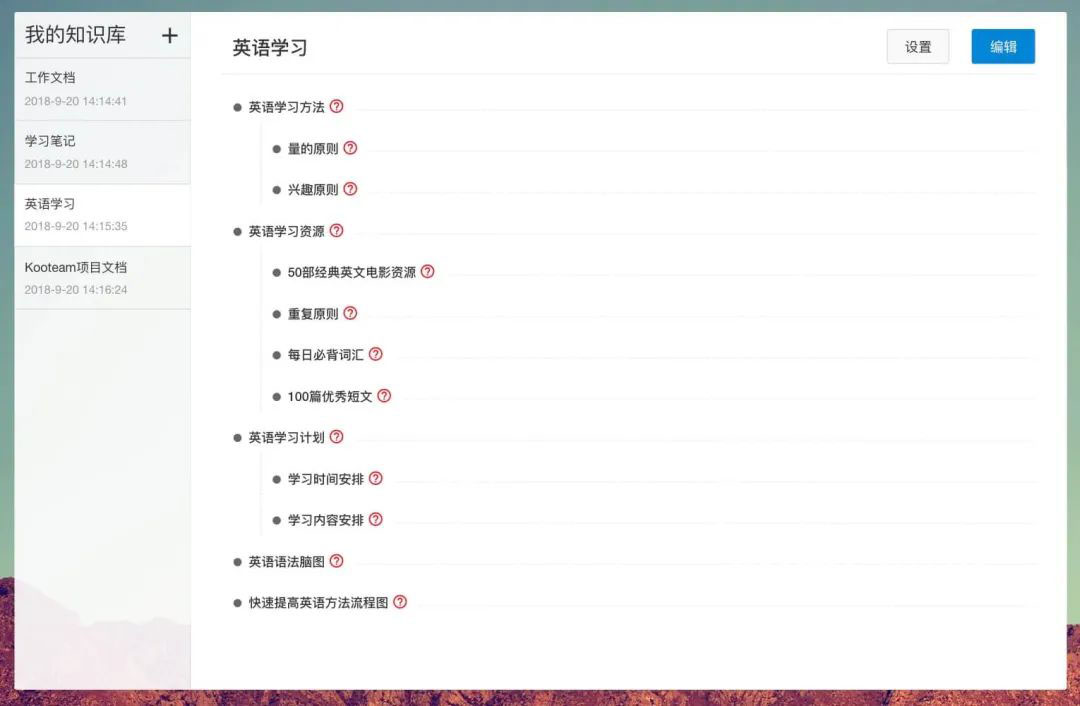
5. 在线知识库: 在线流程图,在线文档,以及可视化的目录编排,文档管理无忧
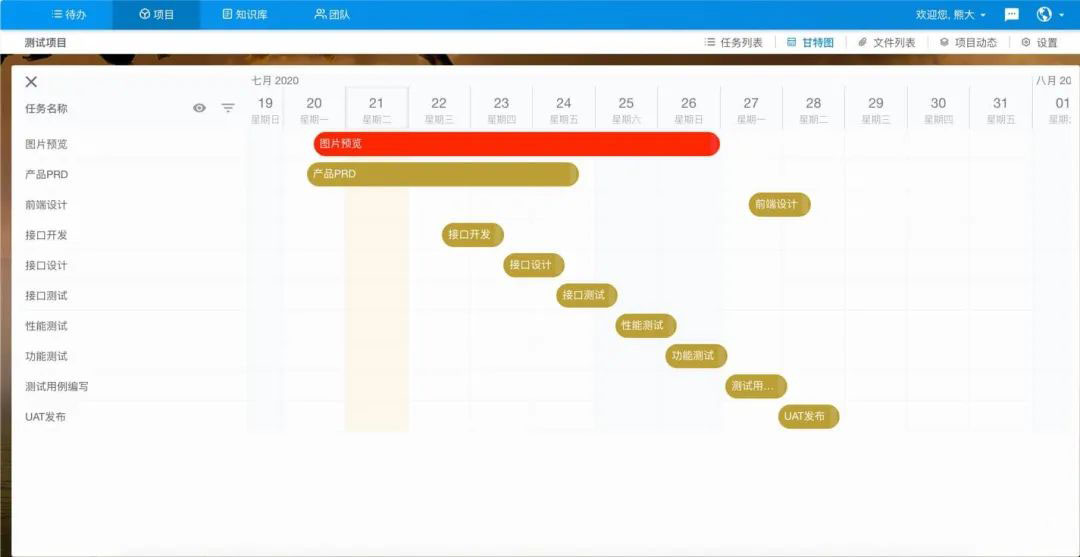
6. 任务甘特图: 可视化任务时间规划,直观方便
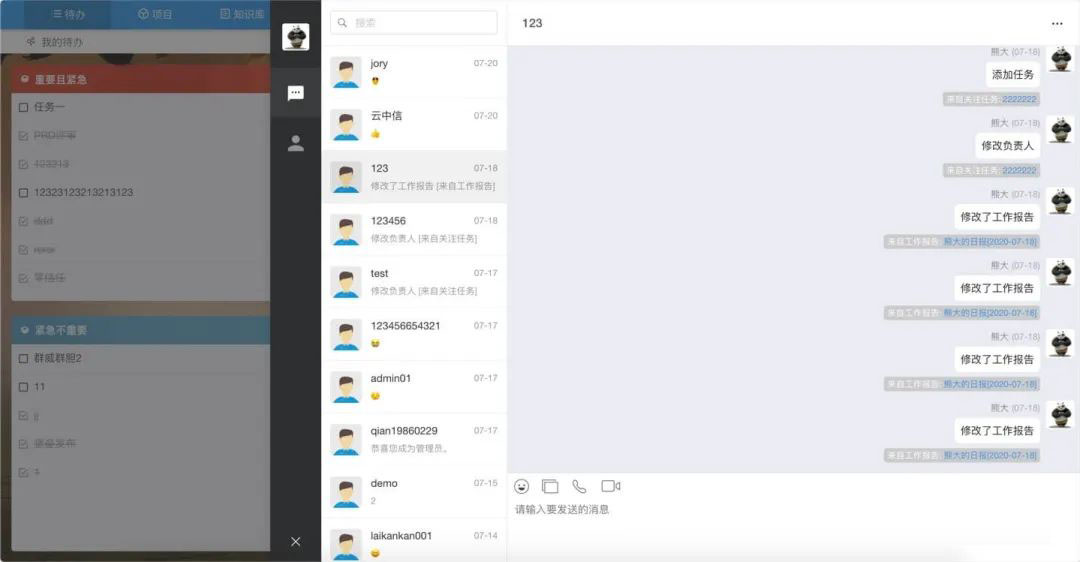
7. 即时聊天: 团队内部沟通,项目动态实时了解
版权声明:
1、本网站名称:帝企吧
2、本站永久网址:https://www.diqiba.com
3、本网站的文章部分内容可能来源于网络及作者投稿,仅供大家学习与参考,如有侵权,请联系站长进行删除处理。
4、本站一切资源不代表本站立场,并不代表本站赞同其观点和对其真实性负责。
5、本站一律禁止以任何方式发布或转载任何违法的相关信息,访客发现请向站长举报。
6、本站资源大多存储在云盘,如发现链接失效,请联系我们我们会第一时间更新。
7、本站所有资源来源于互联网,仅用于学习及参考使用,切勿用于商业用途,如产生法律纠纷本站概不负责! 8、资源除标明原创外均来自网络转载,版权归原作者所有,若侵犯到您权益请联系我们删除,我们将及时处理! 9、若您需使用非免费的软件或服务,请购买正版授权并合法使用!
1、本网站名称:帝企吧
2、本站永久网址:https://www.diqiba.com
3、本网站的文章部分内容可能来源于网络及作者投稿,仅供大家学习与参考,如有侵权,请联系站长进行删除处理。
4、本站一切资源不代表本站立场,并不代表本站赞同其观点和对其真实性负责。
5、本站一律禁止以任何方式发布或转载任何违法的相关信息,访客发现请向站长举报。
6、本站资源大多存储在云盘,如发现链接失效,请联系我们我们会第一时间更新。
7、本站所有资源来源于互联网,仅用于学习及参考使用,切勿用于商业用途,如产生法律纠纷本站概不负责! 8、资源除标明原创外均来自网络转载,版权归原作者所有,若侵犯到您权益请联系我们删除,我们将及时处理! 9、若您需使用非免费的软件或服务,请购买正版授权并合法使用!

评论(0)